

Bitcoin is like love: you can’t touch it, you can only feel it.
Salvadoran taxi driver

Bitcoin⚡️Lightning and How to Use It
Bitcoin is digital money with a global payment network that is open to everyone, everywhere, without discrimination. It is just software, but software that is very hard to change or compromise. The bitcoin themselves are just entries in a decentralized database. Whoever owns bitcoin holds the keys to transfer them. Bitcoin⚡️Lightning is the next scaling layer. Lightning itself is not easy to explain; it is better shown by using it. All you have to do is install a Lightning app and pick up a small gift 🎁 in the form of a few satoshis (the smallest unit of bitcoin). Five examples will show you how easy Lightning is and how much potential lies in it.
Note: This website is optimized for viewing on a desktop/laptop, because it displays QR codes to scan. It works on a smartphone too, but it is a bit more cumbersome, since you have to use some “copy / paste” functions and jump back and forth between pages.
The Lightning Wallet
The fastest and easiest way to secure your first Lightning ⚡️satoshis is the Lightning wallet called Wallet of Satoshi. It is a simple smartphone app that is quick to install, ready to use right away and easy to operate. Just follow the button in Example 1 and get your Bitcoin⚡️satoshis. Once they are in your wallet, you can also use them to pay for something. Scan the QR codes in the following chapters and see what you get for them.
The smallest unit of bitcoin is called a satoshi – 1 bitcoin = 100,000,000 satoshis (sats)
The Lightning⚡️ examples:
- A voucher for you.
- A paywall. After you pay, an article is shown to you.
- The bitcoin switch. Automation or remote control with Lightning. For example, opening a curtain.
- Transparent donations.
- Email spam protection.
Using the Lightning⚡️ wallet:

Download and install Wallet of Satoshi (WoS). Once it is installed, you can use it right away.
Receiving (Example 1) – [Scan] Send / point the camera at the QR code / confirm receipt
Sending (Example 2, etc.) – [Scan] Send / point the camera at the QR code / confirm sending
A few pictures of the wallet:
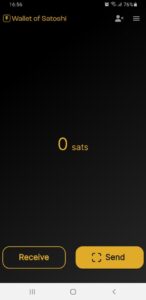
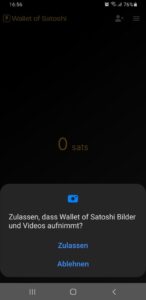
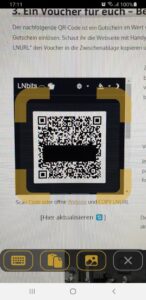
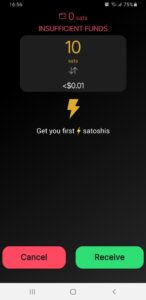
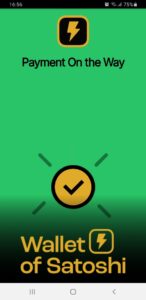
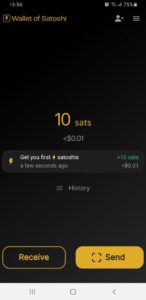
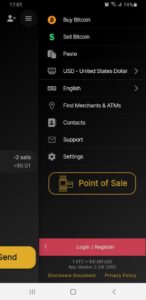
Extra: The hamburger icon 🍔 at the top right takes you to the settings. There you can set the language, the currency and an email address as a login. The login works as a kind of backup. If you store an email address, you can restore the wallet later or move it to another device.
Note: If you tap “Receive”, you will find your personal Lightning address below the QR code. A Lightning address looks like an email address. Mine, for example, is axelhamburch@walletofsatoshi.com. Yours will look more generic at first, but you can personalize it. You can use this address as a static receiving address for payments. Share it or put it on your website to receive donations. Anyone with a Lightning wallet can send you satoshis with it.
Example 1 – A Voucher for You
You now get a voucher for 21 satoshis – your starting capital. 💰 With it you can try out all of the following demonstrations. When you click the button, you will be forwarded to a Telegram bot. The bot shows you the voucher either as a QR code or as an LNURL string. Of course, this requires that you have Telegram installed. If you are viewing this page on a PC, you also need the Telegram desktop app. Both versions can easily be synchronized with each other via QR code – so it is worth it!
Ready? Here is the button:
You can scan the QR code that appears with your Lightning wallet, e.g. WoS, by selecting [Scan]/Send. Or you can click the LNURL string, which copies it to the clipboard. Then go to [Scan]/Send in your Lightning wallet and use the clipboard 📋 to paste it. Then just tap Receive and the server will send you the 21 satoshis. 🎉
Yes, I know, it is illogical to have to press “Send” when you want to receive. But look at it this way: you send a request to the server asking it to send you a voucher. This technology is called Lightning URL (LNURL). The Lightning specification BOLT 11 only provided for creating invoices. So you first have to make a request before you can send (or receive) anything. This is also how Lightning⚡ addresses currently work. With the new BOLT 12 the whole thing is evolving, but it is not yet widespread.
Congratulations! 🎉 – Your first satoshis?
These are real bitcoin – on the second layer – in the Lightning ⚡️ network.
21 satoshis out of a maximum of 21 million bitcoin x 100 million satoshis/bitcoin
🧮 Converter
Example 2 – Lightning Paywall
The Lightning paywall is a payment barrier. With today’s payment system you usually have to sign up for a subscription. Of course, content creators would prefer subscribers or regular customers, but the main reason we see so little “pay-for-content” on the internet is that payment fees are extremely high and only become profitable beyond a certain scale. Why, for example, do we often still pay for small amounts like bread rolls at the bakery in cash?
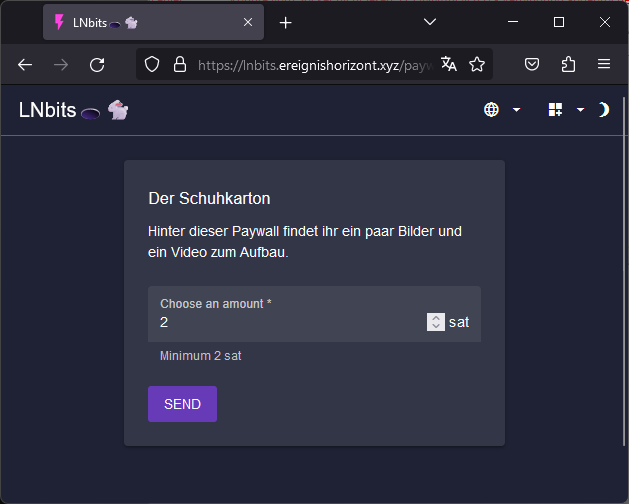
Lightning solves this problem. You can find an example here. Click this 👉 link 👈 or the image to get to a separate page where the payment is processed. It describes what is behind the paywall and what it costs. Once you click “Send”, a QR code appears. You can scan it with your wallet, and after you have paid 1 satoshi, the link to the website is shown to you.
There you will see pictures and a video, for a deeper insight into the function and technology of the next example.
Example 3 – Live Peepshow
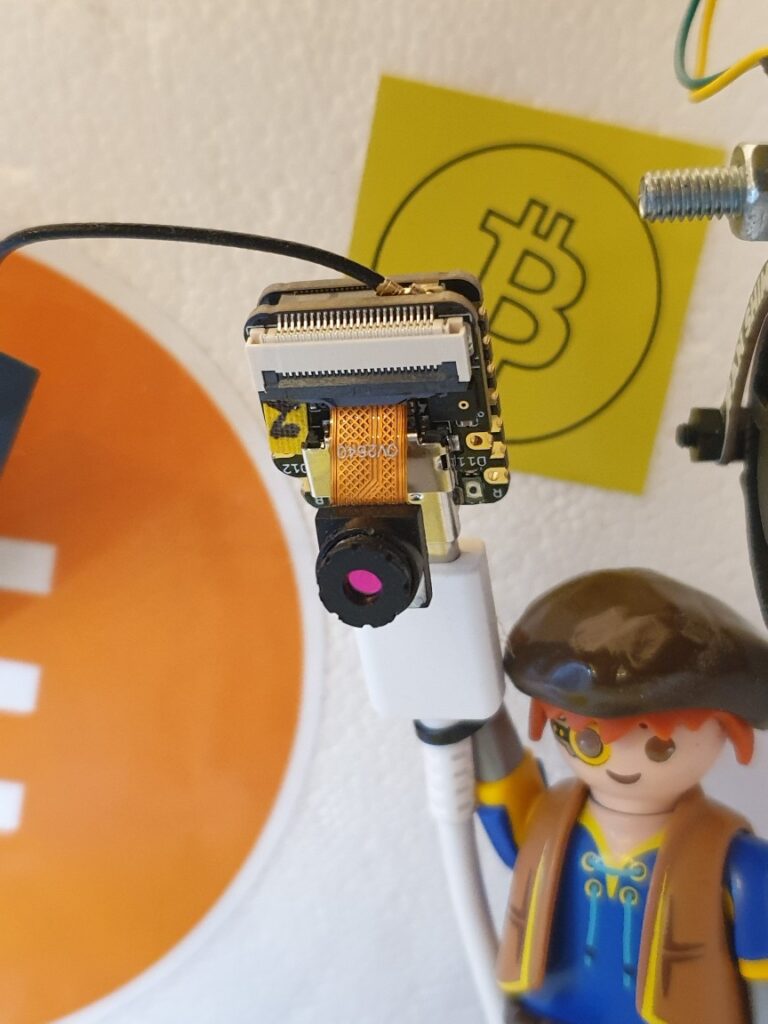
Number 3 is a bitcoinSwitch. It is an electronic switch that can be triggered by a Lightning payment. You can watch the process with a mini webcam in a small box of perhaps 30 × 25 cm. It sits in my living room. You can simply watch the webcam image. By the way, the stream has sound too 🔊😀.
👉 Click here to go to the webcam 👈
Please 🙏 be patient
Watching the stream? Then simply scan the QR code in the video or choose one of the three options below to get your invoice.
*

*
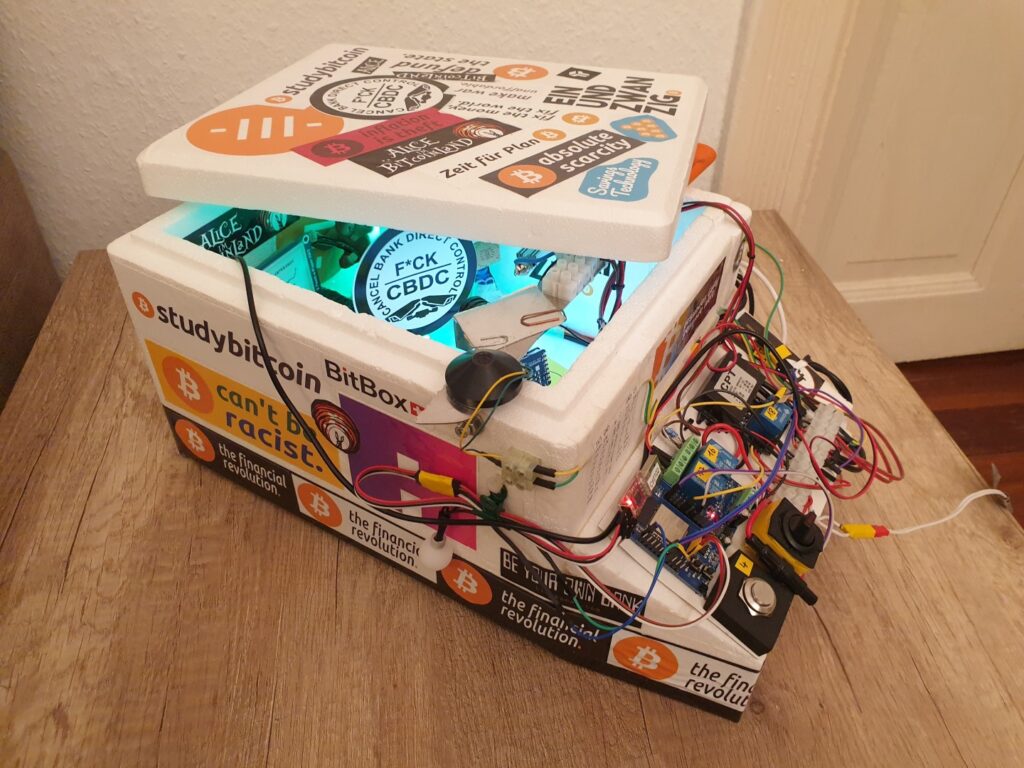
The stream takes a little while to load – and please forgive the mediocre picture quality. It is merely a thumb-sized microcontroller camera that costs a few euros and sits in a box the size of a shoebox. To start the “show” you have to pay 2 satoshis. Once your payment has arrived, a microcontroller receives the information and switches the lamps, the curtain and the turntable. Et voilà! 🎭 Enjoy the show! With a Lightning payment, you have just triggered an action somewhere in the world and can watch the result live. Try that with fiat money (euros or dollars).
Note: If the picture is there, but you think the stream is not updating, the function is missing or there is no sound, the stream is probably just paused ⏸. Simply click the picture to start the stream again ▶️.
The Funding Source
A short aside to explain the background. This page shows you how Lightning⚡️ payments work and what you can do with them. In the background there of course has to be a funding source from which you receive satoshis or to which you can pay. The funding source itself is my Lightning⚡️ node, a small mini computer. The interface between the funding source and this website is LNbits, a wallet and account system.
The entire system is self-custodial. I manage the funding source, and the server on which LNbits runs belongs to me. I need no third party (intermediary) and do not have to entrust my funds to anyone. Bitcoin is natively digital, and we can make full use of that here.
Example 4 – Donations with Comments
What if donations arrived where they were meant to go? If you donate with euros or dollars, you may get a confirmation of receipt, but nothing more. The money is transferred from your account via several payment service providers and banks to somewhere. Making sure that exactly the person or group you wanted to donate to receives it in full is virtually impossible. Too many middlemen are involved, and each one holds out a hand. Even if the donation arrives, you learn almost nothing about what was done with it.
Lightning donation pages are not hard to build. They are inexpensive to run, offer a high level of transparency, and above all: the money really arrives at the recipient. Through direct payments to the recipient and transparent incoming payments, donations can be managed more efficiently, and donors can be sure that their money actually arrives where it is needed. And if the recipient explains the withdrawals, you also know what the money is used for. This creates additional transparency and trust in the donation process.
With Bitcoin⚡️Lightning this is possible. Feel free to test it with one or two satoshis. Note the balance of the donation wallet (see below), scan the QR code and, if you like, leave a small message in the comment field. After a successful payment, click 🔄 once. The display lags up to 30 seconds behind, so you may have to wait a moment and refresh again. The balance should have increased, and your donation 🧡 and your comment 📣 should then be visible here.
The last 21 Lightning⚡️ donations 🔄
Note: Don’t see your donation? Click 🔄 once more, because the display only updates every 30 seconds. Also check that your payment really went through, because only paid invoices appear here. A maximum of 21 payments/messages are shown on this page. Anything beyond that is no longer displayed here. The messages are of course not gone; I can still read them, and I am happy about every single one. 🙏😀
The balance of the donation wallet: 🔄
Example 5 – Messages with Spam Protection
As the fifth and, for now, last example: spam protection. It is basically the same as donations with comments, just seen from a different angle. Lightning can not only use classic QR code Lightning invoices as above, it also knows Lightning addresses. These look like email addresses but also create an invoice in the background, just by a different route. You can, for example, send me a message to my Lightning⚡️ address axelhamburch@walletofsatoshi.com. Simply copy the address, paste it into your wallet under “Send / 📋 paste”, choose the amount, edit the comment and send the payment/message. Anyone who sends me one satoshi with their own Lightning address (you can find it in WoS under “Receive”) in the comment will get a few sats back from me.
You can use this, for example, if you think my webcam stream is not working. It should actually be online 24/7, but it can fail from time to time. It would be great if you could send me a short message. I will then check it, and if you give me a way to reply in the comment, I will do that too.
With the Lightning address you can enter any amount. In some wallets, however, you can also configure that you are only notified about incoming payments above a certain amount. So if I write on my Lightning address that all messages containing at least the amount X will be read, I have a perfect spam filter. Perhaps this feature will one day become standard in email programs, because it can not only get rid of annoying advertising, but also make nasty phishing emails or emails with malware more expensive for the sender.
More Possibilities
What else could you use Bitcoin Lightning for? Quite a lot. On this homepage you will find, for example, build instructions for a point-of-sale device. With it you can accept payments, online and offline. Another article is about how to build a Lightning ATM. Insert a few coins and you can load the satoshis onto your smartphone. Something very special is the bitcoinSwitch. It is the link between the digital and the physical world. Lightning payments can switch devices via a relay. For example the LED flash lamp on the right in the picture. I also used it to build the little show of the live peepshow. But you can also feed cats or chickens online, tap beer with Lightning, or control a vending machine. One variant is the offline⚡️Switch. It has a display and does not even need to be online itself. In the US, the first newspaper vending machine that can also accept Lightning payments has now been equipped with it. And if you would like to hand out Lightning vouchers yourself, check out tipcards.io.
You can of course also already use Bitcoin and Lightning in online shops, for example: aprycot.media, copiaro.de, ankap.store and shopinbit.com. Service providers, shops, restaurants and cafés that accept Bitcoin are still few, but adoption is rising here too, as people realize that Bitcoin is a serious alternative. The payments are fast, cheap and final. If you want, you can also do without an intermediary (third party). Most of those who currently offer Bitcoin as a payment option are Bitcoiners themselves or are at least supported by Bitcoiners. Increasingly, though, there are also service providers that take over the payment process or help with the implementation, for example: Opago, Lipa or Coincharge.
On sites like btcmap.org or coinpages.io you can check, for example, what already exists near you. I can also imagine that it is smart to accept Bitcoin as a means of payment and to register that there too. People want to use Bitcoin as a means of payment and, with growing adoption, will look out for it. So it could also be a competitive advantage, and good marketing in any case. The bars and restaurants where the EINUNDZWANZIG Bitcoin meetups take place definitely offer Bitcoin payments. There you can not only pay for your coffee or beer with Bitcoin, but also talk to other people about Bitcoin. Just go to a meetup near you. And if there is no meetup near you yet, simply start one. In Telegram groups like the one of the EINUNDZWANZIG community you will find like-minded people who will certainly support you.
We have no enemies. We have people who don’t yet know why they need Bitcoin.
Michael Saylor, Co-founder and Chairman of MicroStrategy
Summary
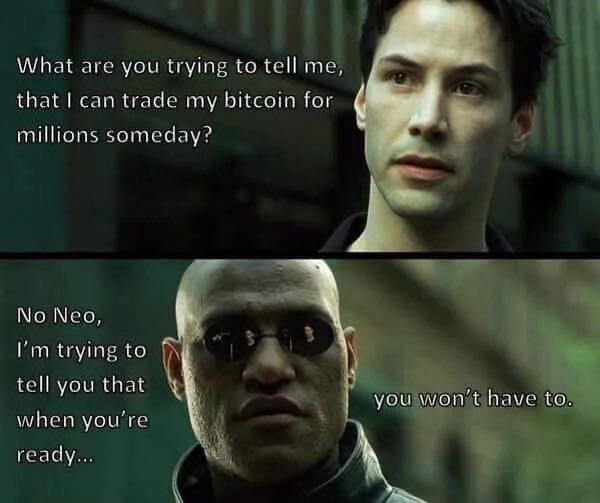
What do you think, will Morpheus be proven right? Does Neo no longer have to trade his coins because he can pay directly with them? I personally now assume so, because I experience myself that Bitcoin works as a means of payment. Bitcoin⚡️Lightning can become the cash of the internet. Bitcoin itself has extremely good properties, which I highlight separately in the following article “What is money?“. Bitcoin is a global means of payment that is natively digital. It is controlled by no authority and is secured by mathematics and energy. Even though Bitcoin is hard to understand at first, its software code is open, which makes Bitcoin transparent and therefore trustless.
With simple examples you were able to experience interactively how Bitcoin Lightning works and what it can be used for. It is the first time in history that we can hold and teleport the key to an absolutely scarce good. The possibilities that arise from this are hard for people to grasp at first. Cash is similarly free, but limited in its use. Bitcoin does not have this limitation.
I was able to show you that Lightning works. All of the example functions were put together by me and the funds are in my custody. I use free and open source software (FOSS), like the wonderful LNbits and a RaspiBlitz as a Lightning node. I need no intermediaries (third parties) for payment processing, and I hold the keys to the bitcoin.
Anyone who still claims that Bitcoin has no value and will never be used as a means of payment is welcome to go and get some more satoshis. Otherwise, I hope you enjoyed it and that I could shed some light on the subject. Bitcoin and Lightning⚡️ technology are very interesting and promising. It is worth taking a deeper look.
If you have questions, comments or feedback, let me know. ✉️
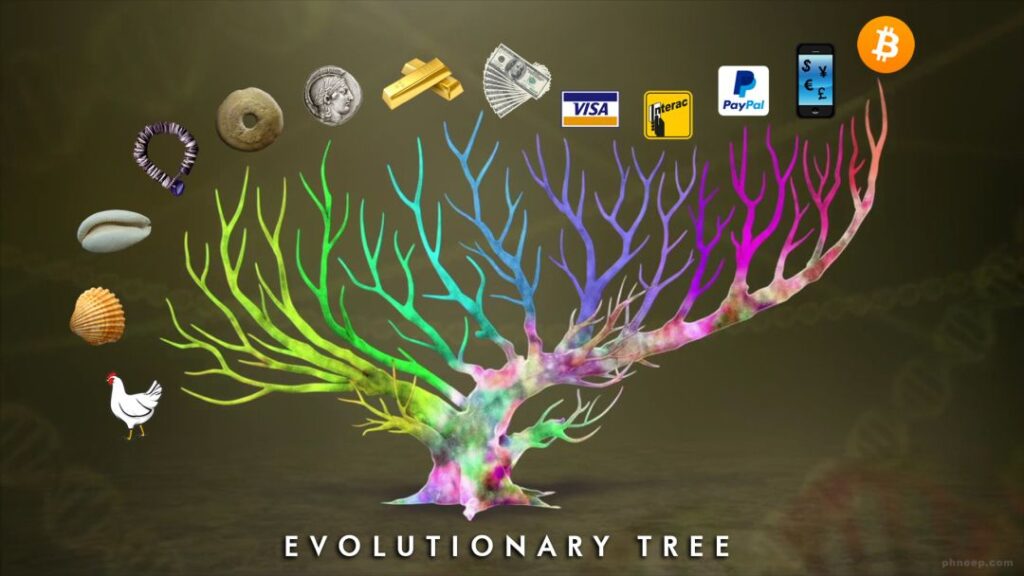
Image: The evolution of money
Further Information
Currently only available in German, perhaps I’ll translate it later.
Here I have further information for you. The rabbit hole is very deep. 🕳🐇 Climb down and be surprised.
👉 What is money? – If you want to understand Bitcoin, you should also understand what money is.
👉 Bitcoin basics – A few basics: how do I buy Bitcoin and how do I store Bitcoin.
👉 Lightning⚡️technology – The basics of Lightning technology explained.
👉 Lightning ⚡️ wallet – Setting up a self-custodial Lightning wallet and a general overview of Bitcoin wallets.
👉 Beware of FUD – “But what about..” Ignorance, the root and stem of all evil. (Plato)
👉 Onboarding technology – A look behind the scenes of this page. (Paywall!)
Note on the “Onboarding technology” paywall: Would you like to know how the technology behind this interactive website works with Lightning? I won’t withhold it from you. The shoebox runs 24/7, and on the onboarding technology page I show you how I implemented it technically. The article lists all the components and functions you need. The page is behind a paywall. You now know how to get there, with a Lightning payment. However, the article costs 210 satoshis. There is a reason for that. Not that I wouldn’t give you the article for free as well – this is about proof of work 💪. Whoever wants to read the article has to get hold of the Lightning satoshis. How to do that, you can find in the articles Bitcoin basics and Lightning ⚡️ wallet.
A closing thank you
Thank you for your time.
The last words belong to Friedrich August von Hayek. A great Austrian economist, social philosopher and one of the most important representatives of the Austrian School of economics. He was far ahead of his time.

I don’t believe we shall ever have a good money again before we take the thing out of the hands of government, that is, we can’t take it violently out of the hands of government, all we can do is by some sly roundabout way introduce something that they can’t stop.
– Friedrich August von Hayek [1984] Economist and social philosopher (1899-1992)
Made with love 🧡 Since 833333 / 973992